Claude Projects vs ChatGPT Custom GPTs (When to Use Which)
Most solopreneurs treat Claude Projects and ChatGPT Custom GPTs as interchangeable. Two ways to “save instructions and files so the AI remembers you.” Pick the one tied to whichever ₹1,999/month subscription they already pay for and move on.
That framing wastes both tools. The two products were built for different jobs, and using the wrong one for a given task is the difference between a 20-minute draft and a four-hour rewrite. The decision isn’t about which model is smarter this month. It’s about what kind of work each container was actually shaped for.
The structural difference nobody explains
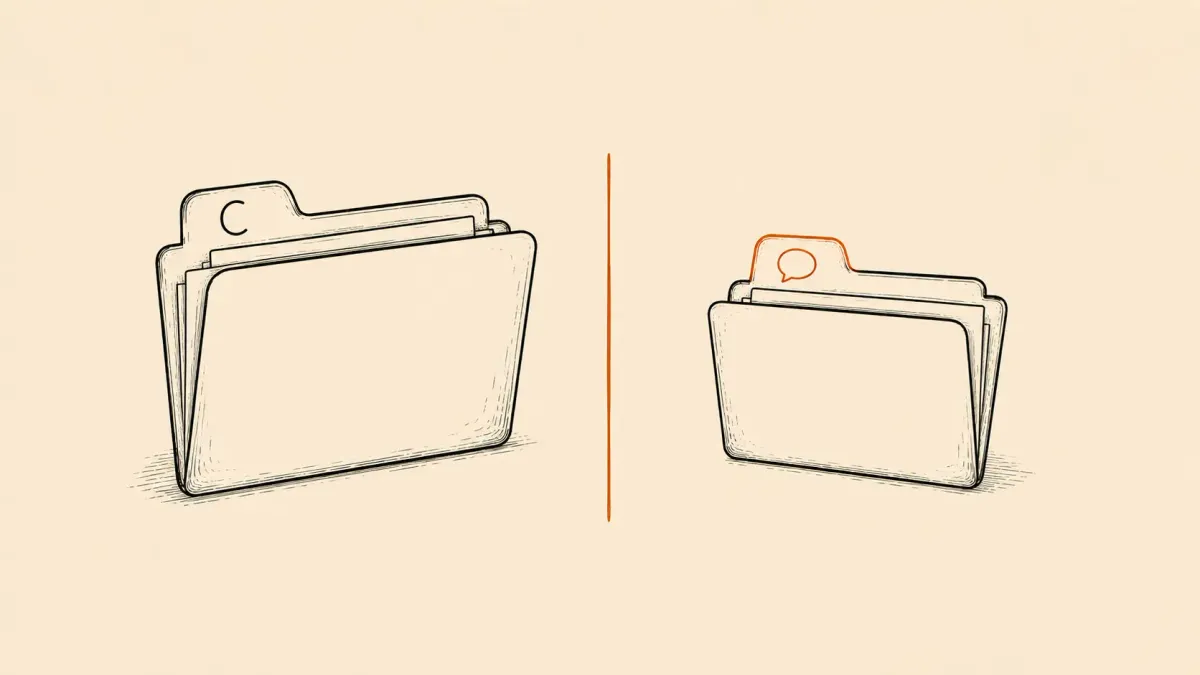
A Claude Project is a private workspace. You drop in up to 200,000 tokens of context (roughly 500 pages of PDFs, client briefs, brand guidelines, past invoices) and every chat inside that Project reads from that same shared brain. The instructions field is for tone and constraints. The knowledge is the point.
A Custom GPT is a packaged assistant. You write a system prompt, optionally upload a few reference files, optionally wire up an Action that calls an external API, and the result is a reusable button. You can keep it private or publish it to the GPT Store. The instructions are the point. The knowledge is a thin garnish.
That’s the split. Projects are containers for your stuff. Custom GPTs are containers for a process. Confusing the two leads to people uploading 40 client PDFs into a Custom GPT (which barely reads them) or writing 800-word system prompts inside a Claude Project (which ignores half of them after the third turn).
How each one actually handles files
Claude Projects index uploaded documents semantically and surface relevant chunks per query. Drop a 90-page brand guide in, ask about the secondary color palette on page 73, and Claude pulls the right section. The retrieval is quiet and accurate enough that most users don’t realize it’s happening.
Custom GPTs treat uploaded files as a code-interpreter dataset. Good for spreadsheets, structured data, and CSVs you want to query with Python. Bad for “read this 50-page contract and find the indemnity clause.” The retrieval is shallower, the file limit is 20, and behavior across uploads is inconsistent enough that veteran users avoid relying on it.
When a Claude Project is the right call
Five scenarios where the answer is always Claude Projects, never a Custom GPT.
Client work with heavy context. One Project per client. Drop in their brand book, past deliverables, transcripts from kickoff calls, the SOW, your scoping doc. Every chat inside that Project starts already fluent in the client. Writing the next deliverable takes minutes instead of an hour of re-uploading and re-explaining. This alone justifies the Claude Pro subscription for anyone billing more than two retainer clients.
Long-form writing against a corpus. Book chapters, white papers, pillar articles that have to stay consistent with 30 past articles. Claude can hold the whole back-catalog in working memory and flag when a new draft contradicts an earlier piece. ChatGPT loses the thread by paragraph six.
Research synthesis. Twelve PDFs, three transcripts, a spreadsheet of competitive pricing. Ask Claude to find contradictions across them. The answer will cite specific pages. A Custom GPT will hallucinate a citation that looks real and isn’t.
Anything with a specific tone you can’t articulate cleanly. Drop in 20 of your own past LinkedIn posts. Ask Claude to draft a new one. The voice match on Sonnet 4.5 is closer to ghostwriting than to autocomplete. Custom GPTs can’t reverse-engineer voice from samples at the same fidelity.
Code work on an existing project. Paste the relevant files in once, then iterate. Claude holds the architecture in its head better, and the larger context window means fewer cycles of “remember, the auth lives in middleware.ts.”
This is roughly the same logic explored in the ChatGPT vs Claude for writing breakdown, but extended past raw output into how persistent context changes the workflow itself.
When a Custom GPT is the right call
The flip side. Five scenarios where Custom GPTs win cleanly.
Repeatable processes with no learning required. A “rewrite this cold email in the Stripe style” GPT. A “convert this transcript to a LinkedIn carousel script” GPT. A “audit this landing page headline against the David Ogilvy rules” GPT. The instructions encode the process. Context doesn’t matter because every input is fresh.
Anything you want a client or teammate to use. Custom GPTs can be shared via link. Claude Projects cannot. If a client needs to brief themselves through a structured intake before a call, ship them a GPT. The handoff is one URL.
Actions that hit external APIs. Custom GPTs can call your own backend, query a CRM, hit Razorpay, write to a Google Sheet. Claude Projects have no equivalent until you wire up the Anthropic API directly, which is a different skill bracket. For solopreneurs who want a GPT that logs a new lead to their Notion database, this is the only path inside the consumer subscription.
Publishable utilities. If the GPT could plausibly earn its own audience (a niche calculator, a domain-specific reviewer, a meme generator) the GPT Store gives distribution Claude Projects fundamentally don’t have.
Image-heavy workflows. DALL-E inside ChatGPT is more deeply wired than image generation inside Claude. For solopreneurs whose process includes a visual artifact at the end, the GPT side stays smoother.
The honest pattern: Custom GPTs shine when the input changes and the process stays fixed. Projects shine when the process changes and the context stays fixed.
The decision tree, compressed
Ask three questions before opening either tool.
- Will the same large knowledge base be referenced across every chat? Yes -> Claude Project. No -> next question.
- Does the same process need to run on different inputs? Yes -> Custom GPT. No -> next question.
- Does it need to call an API or be shared with someone else? Yes -> Custom GPT (or skip both and build a tiny Make.com automation that runs in the background). No -> use whichever subscription you already have and stop optimizing.
Most solopreneur stacks end up with three to five Claude Projects (one per major client, one for personal writing, one for the business itself) and two to four Custom GPTs (one for cold email rewriting, one for tweet generation, one wired to a CRM). The two tools are not competitors at the workspace level. They’re complementary slots in the same week.
The hidden cost most people miss
Setup time. A Claude Project for a real client takes 30 to 45 minutes to populate properly: pulling the right PDFs, writing tight instructions, testing a few queries to confirm retrieval lands. People skip this and then complain the AI “doesn’t get them.” It got nothing because nothing was loaded.
A Custom GPT takes 60 to 90 minutes to do well: drafting the system prompt, testing edge cases, refining the conversation starters, sometimes wiring an Action. People skip this and ship a GPT that’s just ChatGPT with a hat on, then wonder why nobody uses it twice.
Neither tool rewards five-minute setup. Both reward an hour of upfront work that pays back across hundreds of future chats. Solopreneurs who treat the setup as a one-time investment (block it on the calendar, do it deliberately) get 10x more value than those who half-assemble during a working session and then never go back to fix it.
What to actually do this week
Pick the two tasks that ate the most time last month. For each, ask the decision-tree questions above. If one is “draft this kind of thing repeatedly from a brief,” it’s a Custom GPT. If the other is “write things that have to match a body of past work or a specific client,” it’s a Project.
Build one of each. Spend the full hour on setup. Use them for two weeks before judging. The solopreneurs who get genuine leverage from AI aren’t the ones who switch models every quarter. They’re the ones who built three or four containers properly and kept feeding them.
Skipping the setup is the actual mistake. Picking the wrong container just costs time. Skipping both costs the leverage entirely.
For more on building a stack that compounds, see the zero-dollar AI stack for solopreneurs and the broader best AI tools for solopreneurs roundup.